 Image 1 of 1
Turn any single-note sample into a playable pad.
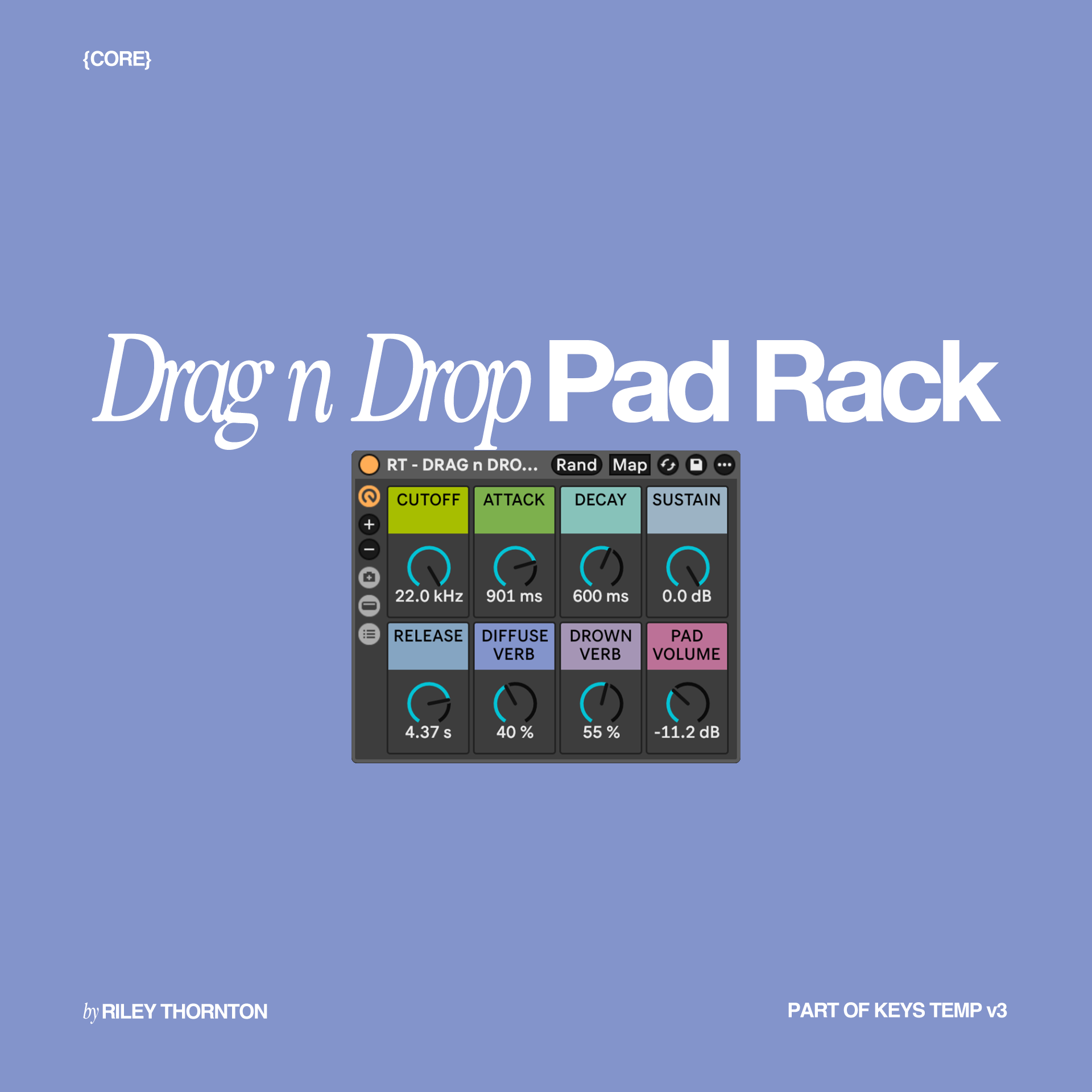
Drag n Drop Pad Rack is a simple Ableton Simpler instrument designed to make building custom pad sounds quick and easy.
Drop in a single-note sample, tune its original note to C, and play it across your keyboard like an instrument.
Use the included sounds or replace them with your own textures, synths, recordings, drones, and other single-note samples to create completely new pads.
No third-party plugins or libraries required.
Drag n Drop Pad Ableton Instrument Rack
14 custom pad samples
Preloaded ready-to-play sound
README + installation guide
Start with any single-note sample.
Drop it into the rack, transpose the original sample so its root note becomes C, then play it across your keyboard.
For example, if your source sample is in B, transpose it +1 semitone to bring it to C.
From there, Ableton Simpler handles the rest.
Drag n Drop Pad Rack is designed to make custom pad building fast.
Try it with:
Synth textures
Piano tails
Drones
Field recordings
Vocal textures
Ambient samples
Single-note instrument recordings
Use the included sounds as starting points or swap in your own samples to create something completely different.
Ableton Live 12.4.5 or newer
Compatible with:
Ableton Live Intro
Ableton Live Standard
Ableton Live Suite
macOS
Windows
This rack is CORE compatible.
No third-party plugins or libraries required.
Drag n Drop Pad Rack is built with Ableton Simpler.
All 14 included custom samples are packaged with the product, and you can replace them with your own compatible samples at any time.
Drag n Drop Pad Rack is also included with:
Keys Template v3 COMPLETE
If you already own Keys Template v3 COMPLETE, you already have this rack and do not need to purchase it separately.
After purchase, you'll receive the Drag n Drop Pad Rack download package, including the Ableton Instrument Rack, all 14 custom pad samples, and the installation guide.
Download the files and save a master copy somewhere safe before making your own edits.
No third-party plugins or libraries are required.
Because this is a downloadable digital product, all sales are final and non-refundable, except where required by law.
Please verify your Ableton Live version before purchasing.
If you experience a technical issue, reach out and I'll help you get set up.
Your purchase includes a license for one purchaser to use the included rack, samples, sounds, and files in personal and commercial music projects.
You may perform, record, release, and monetize music created using the product.
The original product files and private download links may not be shared, resold, redistributed, repackaged, uploaded, or included in another product, course, membership, or download.
Additional users, churches, organizations, or teams should purchase their own license.
© Riley Thornton. All rights reserved.
Turn any single-note sample into a playable pad.
Drag n Drop Pad Rack is a simple Ableton Simpler instrument designed to make building custom pad sounds quick and easy.
Drop in a single-note sample, tune its original note to C, and play it across your keyboard like an instrument.
Use the included sounds or replace them with your own textures, synths, recordings, drones, and other single-note samples to create completely new pads.
No third-party plugins or libraries required.
Drag n Drop Pad Ableton Instrument Rack
14 custom pad samples
Preloaded ready-to-play sound
README + installation guide
Start with any single-note sample.
Drop it into the rack, transpose the original sample so its root note becomes C, then play it across your keyboard.
For example, if your source sample is in B, transpose it +1 semitone to bring it to C.
From there, Ableton Simpler handles the rest.
Drag n Drop Pad Rack is designed to make custom pad building fast.
Try it with:
Synth textures
Piano tails
Drones
Field recordings
Vocal textures
Ambient samples
Single-note instrument recordings
Use the included sounds as starting points or swap in your own samples to create something completely different.
Ableton Live 12.4.5 or newer
Compatible with:
Ableton Live Intro
Ableton Live Standard
Ableton Live Suite
macOS
Windows
This rack is CORE compatible.
No third-party plugins or libraries required.
Drag n Drop Pad Rack is built with Ableton Simpler.
All 14 included custom samples are packaged with the product, and you can replace them with your own compatible samples at any time.
Drag n Drop Pad Rack is also included with:
Keys Template v3 COMPLETE
If you already own Keys Template v3 COMPLETE, you already have this rack and do not need to purchase it separately.
After purchase, you'll receive the Drag n Drop Pad Rack download package, including the Ableton Instrument Rack, all 14 custom pad samples, and the installation guide.
Download the files and save a master copy somewhere safe before making your own edits.
No third-party plugins or libraries are required.
Because this is a downloadable digital product, all sales are final and non-refundable, except where required by law.
Please verify your Ableton Live version before purchasing.
If you experience a technical issue, reach out and I'll help you get set up.
Your purchase includes a license for one purchaser to use the included rack, samples, sounds, and files in personal and commercial music projects.
You may perform, record, release, and monetize music created using the product.
The original product files and private download links may not be shared, resold, redistributed, repackaged, uploaded, or included in another product, course, membership, or download.
Additional users, churches, organizations, or teams should purchase their own license.
© Riley Thornton. All rights reserved.